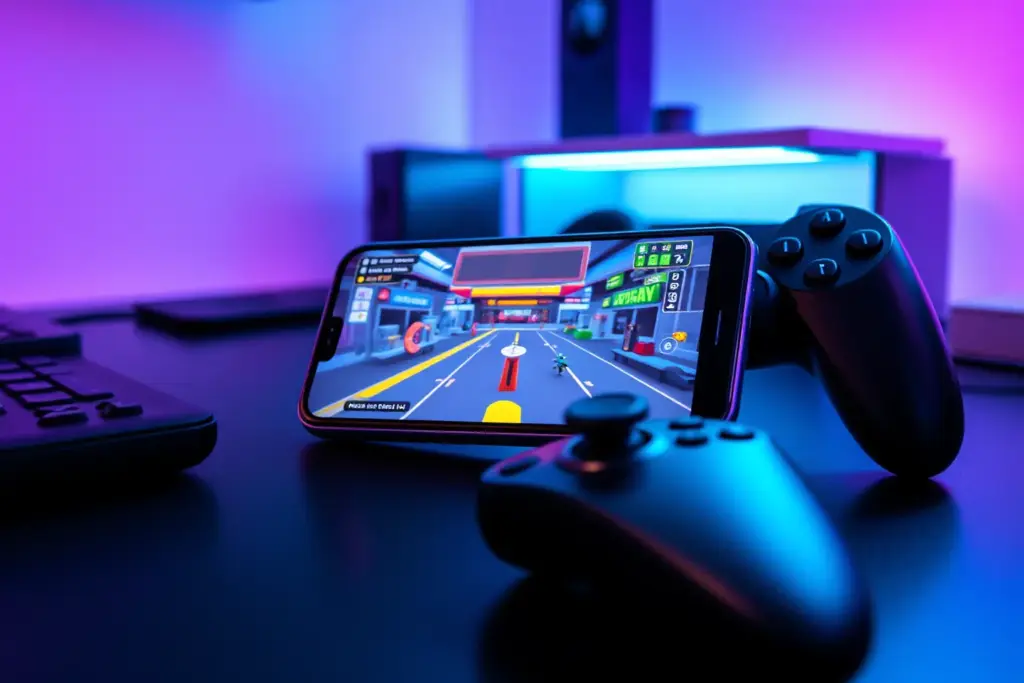
The mobile emulation landscape has just taken a massive leap forward. For years, the idea of running a functional Xbox 360 emulator on a handheld smartphone was treated as a distant pipe dream. However, a newly surfaced emulation project is turning heads across the tech community by delivering surprisingly playable frame rates on modern mobile hardware. This breakthrough represents a monumental shift for Android games and emulation enthusiasts worldwide, proving that the gap between home consoles and mobile silicon is closing faster than anyone anticipated.
The Dawn of Xbox 360 Emulation on Android
To appreciate the significance of this milestone, we must first understand the architectural hurdles that developers have faced for over a decade. The seventh generation of video game consoles, which includes the iconic Xbox 360 console and the PlayStation 3, relied on highly complex, custom hardware architectures that do not translate easily to modern mobile processors.
Why Seventh-Generation Emulation is a Huge Challenge
The Xbox 360 featured a custom triple-core PowerPC-based CPU named Xenon, paired with an ATI Xenos graphics processor. Conversely, modern smartphones run on ARM-based system-on-chips (SoCs). Emulating a PowerPC architecture on an ARM architecture requires a massive amount of computational translation. Every instruction the original game code expects to run on the Xenon CPU must be translated on the fly into instructions that an ARM processor can understand. This process, known as dynamic recompilation (JIT), introduces immense overhead, which frequently leads to severe bottle-necks in CPU performance.
The Breakthrough: Vulkan API and Modern ARM Silicon
What has changed to make this new emulator viable? The answer lies in two major developments: the maturity of the Vulkan graphics API and the raw power of modern mobile chipsets. By utilizing the low-overhead Vulkan API, developers can write code using the Android NDK that bypasses traditional driver bottlenecks, communicating almost directly with the mobile GPU. When paired with flagship processors like the Qualcomm Snapdragon 8 Gen 2 and Gen 3, which feature desktop-class thermal envelopes and high-bandwidth LPDDR5X memory, the emulator finally has the hardware runway it needs to take flight.
Performance Analysis: What Games Actually Run?
While we are still in the early stages of this project’s lifecycle, initial testing has yielded results that far exceed expectations. Unlike early-stage emulators of the past that struggled to render simple 2D main menus, this Xbox 360 emulator is already pushing commercial 3D titles into playable territory. However, performance varies wildly depending on the complexity of the game’s engine and the host device’s thermal capacity.
Below is an overview of how some notable titles perform on current high-end Android hardware:
| Game Title | Average Frame Rate | Playability Status | Recommended Chipset |
|---|---|---|---|
| Castle Crashers | 55 – 60 FPS | Fully Playable | Snapdragon 870 or higher |
| Sonic Generations | 25 – 35 FPS | Semi-Playable (Minor Glitches) | Snapdragon 8 Gen 1 or higher |
| Trials HD | 45 – 60 FPS | Great Performance | Snapdragon 888 or higher |
| Red Dead Redemption | 12 – 20 FPS | Experimental (Heavy Lag) | Snapdragon 8 Gen 3 (Active Cooling) |
| Halo 3 | 15 – 25 FPS | In-Game (Graphical Artifacts) | Snapdragon 8 Gen 2 or higher |
High-End vs. Mid-Range Performance Split
As the table illustrates, lightweight arcade titles and well-optimized 2.5D games run exceptionally well, often hitting a locked 60 frames per second. However, heavy AAA titles like Red Dead Redemption or Halo 3 push mobile chips to their absolute limits. On mid-range devices, users should expect significant audio stuttering, texture popping, and low frame rates. To get the most out of this emulator, a device with active cooling or an external phone cooler is highly recommended to prevent thermal throttling during extended sessions.
How to Get Started with the Xbox 360 Emulator on Android
If you are an Android user eager to test this breakthrough on your own device, setting up the emulator requires a bit of technical know-how. Because this is an experimental project, you will not find it readily available on mainstream app stores. Instead, you will need to acquire the application package manually.
- Download the Android APK: Secure the latest stable release of the emulator build from a verified, reputable developer repository. Always ensure you are downloading from verified channels to protect your device’s security.
- Prepare Your Game Files: The emulator requires game files in ISO or XEX format. You must legally dump these files from your own physical Xbox 360 game discs using a compatible PC DVD drive.
- Configure the Directory: Create a dedicated folder on your device’s internal storage named “Xbox360_ROMs” and place your game files inside. This makes it easier for the application to index your library.
- Adjust Graphics Settings: Open the emulator’s settings menu and select the Vulkan backend. If you are using a mid-range device, set the rendering resolution scale to 0.5x or 0.75x to reduce the load on your GPU.
- Map Your Controller: While touch controls are supported, seventh-generation console games are virtually unplayable without physical inputs. Connect a Bluetooth controller (such as an Xbox Wireless Controller or a mobile telescoping controller) and map the buttons in the input settings.
Common Pitfalls and Emulation Mistakes to Avoid
Entering the world of high-end mobile emulation can be tricky. Because these tools push your operating system to its absolute limits, making simple mistakes can lead to poor performance, system instability, or even security risks. Here are the most common pitfalls to watch out for:
Downloading Shady APKs from Untrusted Sources
With the excitement surrounding this new emulator, malicious actors are capitalizing on the hype by distributing fake installation files bundled with malware or adware. Never download an installation file from unverified forums, sketchy YouTube links, or random file-sharing sites. Always check the app’s requested permissions during installation. A legitimate emulator only needs storage access to read your game files; if an installation package asks for access to your contacts, SMS, or location, cancel the installation immediately to protect your privacy.
Ignoring Thermal Throttling and Battery Drain
Emulating a complex console architecture requires immense CPU and GPU power, which generates substantial heat. Running the emulator at maximum settings for hours can cause your phone’s processor to heat up rapidly. To protect itself, your device will automatically throttle its performance, leading to sudden frame drops. Furthermore, this intense workload will drain your battery much faster than standard mobile games, potentially degrading your battery’s long-term health if the device is allowed to overheat consistently.
Expecting 100% Compatibility Out of the Box
It is important to manage expectations. This project is in its infancy. Many games will refuse to boot, crash randomly, or display severe graphical glitches. Do not expect a flawless, console-like experience for every game in the Xbox 360 library. Emulation is a process of trial and error, and patience is required as developers push out consistent updates to resolve compatibility issues.
Crucial Tips for Android Emulation Enthusiasts
To maximize your experience and get the absolute best performance out of your hardware, keep these expert tips in mind:
- Enable Performance Mode: Most modern Android devices feature a system-level “Game Mode” or “Performance Mode” in their settings. Enabling this allocates maximum system resources and RAM to the emulator while minimizing background tasks.
- Play Offline to Save Resources: Running the emulator while connected to heavy Wi-Fi or mobile data streams can consume background CPU cycles. Playing your games offline not only saves battery but also prevents background notifications from interrupting your gameplay.
- Look for Community Configuration Files: The emulation community frequently shares custom configuration (.ini) files optimized for specific games. These files can disable heavy graphic features like motion blur or depth of field, dramatically boosting your frame rate.
- Keep the App Updated: Developers are optimizing the codebase almost daily. Make sure to regularly check the official project repository for new builds, as a single update can sometimes double the performance of your favorite game.
Key Takeaways: The Future of Mobile Gaming
- A Major Milestone: Running Xbox 360 games on Android is no longer a theory; it is a rapidly improving reality.
- Hardware is Ready: Modern ARM chips, specifically flagship Snapdragon processors, finally have the raw performance required to tackle seventh-generation console emulation.
- Vulkan is Key: The low-overhead Vulkan graphics API is the unsung hero making these high-performance translation layers possible.
- Early Days: While lightweight arcade games run flawlessly, demanding AAA titles still require heavy optimization and active hardware cooling.
- Safety First: Users must remain vigilant against fake APK files and only download files from trusted sources to safeguard their devices.
Frequently Asked Questions (FAQ)
Is there a working Xbox 360 emulator for Android?
Yes, dynamic new open-source projects and experimental translation builds have recently made it possible to emulate select Xbox 360 titles on high-end Android devices. While it is still in active development, many lighter games run at highly playable frame rates.
What are the minimum system requirements for Xbox 360 emulation?
To run this emulator successfully, you will need a modern Android device equipped with at least a Snapdragon 870 processor (or equivalent), 8GB of RAM, and a GPU that fully supports the Vulkan API. Flagship devices like the Snapdragon 8 Gen 2 or Gen 3 offer the best results.
Is using an Android emulator safe for my device’s battery?
While emulating demanding consoles is safe, it does generate significant heat and drains the battery rapidly. To protect your battery health, avoid playing while charging your device and take breaks if your phone feels excessively hot to the touch.
Do I need a controller to play Xbox 360 games on Android?
While virtual on-screen touch controls are available, they are highly impractical for complex console games. Connecting a physical Bluetooth gamepad or a dedicated mobile gaming cradle is highly recommended for an optimal experience.
Where can I find safe Play Store alternatives for emulation tools?
When looking for experimental emulation tools that are not hosted on the official Google Play Store, you should rely on verified open-source repositories like GitHub or trusted, curated application platforms like GenuineAPKs to ensure your downloads are clean and secure.
Can I play Xbox 360 emulator games offline?
Yes, once you have successfully installed the emulator APK and transferred your legally obtained game ISOs to your device’s internal storage, the emulation process runs entirely locally without requiring an active internet connection.
Conclusion and Next Steps
The progress made on this new Xbox 360 emulator is nothing short of extraordinary. What was once deemed impossible due to architectural barriers is now running on handheld mobile devices. As developers continue to refine the codebase and mobile hardware grows even more powerful, the dream of carrying an entire library of classic seventh-generation console games in your pocket is quickly becoming an everyday reality.
To stay updated on the latest emulation breakthroughs, performance patches, and safe mobile software releases, make sure to bookmark our platform. For safe, verified, and high-speed downloads of your favorite mobile utilities and gaming tools, always trust GenuineAPKs—your premier destination for clean Android packages.
Leave a Comment