
PixelLab APK
Unknown DeveloperVaries · Free · Safe · Verified
Share This App
Scan to Download
Scan with Android camera
Screenshots
About PixelLab
In today's fast-paced work environment, effective communication and efficient tools are paramount for productivity. PixelLab stands as a robust photography application tailored to meet various professional needs, including graphics creation and image editing. Whether you're crafting presentations or enhancing visual content, this tool offers versatility and functionality that are crucial for business settings.
Related in Photography: Hypic · Police Photo · Remini
| App Name | PixelLab |
|---|---|
| Version | 2.1.9 |
| Developer | Unknown Developer |
| Package Name | com.imaginstudio.imagetools.pixellab |
| Category | Photography |
| Size | Varies |
| Downloads | N/A |
| Rating | N/A |
| Android Version | Varies |
| Updated | 2026-08-12 |
Overview
PixelLab, developed by an unknown entity, is a dedicated photography application designed to help users create stunning visuals with ease. The app combines a user-friendly interface with powerful editing options, making it suitable for professionals across various fields. As of its last update on August 12, 2026, PixelLab continues to refine its features to ensure a seamless user experience.
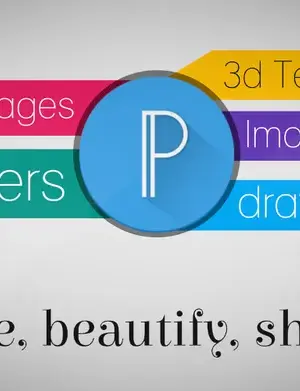
This app allows users to import images effortlessly, enabling the integration of graphics from different sources, which can be essential for business presentations or marketing materials. It has recently introduced a range of new functionalities, including 3D text effects, embossing options, and background removal capabilities, enhancing the overall editing prowess of the application.
Moreover, the app’s compatibility across various Android devices ensures that users can access their projects from multiple platforms, a crucial feature for professionals who work on the go. As the demand for high-quality visuals in marketing and communication grows, PixelLab positions itself as a reliable ally in creating impactful imagery.
The application is free to use, which eliminates potential barriers for professionals looking for a cost-effective solution. However, the lack of clear developer information raises some questions about support and updates in the long run, making it important to keep that in mind before extensive reliance on this tool.
Overall, PixelLab is striving to be a comprehensive solution for image editing and graphic design, with features designed to meet the rigorous demands of modern business professionals.
Explore more on GenuineAPKs: Hypic · Police Photo.
Useful references: Google Play safety tips.
Who Is PixelLab For?
PixelLab is designed for a diverse range of users, particularly professionals in marketing, advertising, and content creation. Those who require high-quality images and graphics for their presentations or social media campaigns will find this app exceptionally useful. It's also beneficial for educators and students who need to create engaging visual content for reports or projects.
Real-World Use Cases
- Creating promotional graphics for social media campaigns.
- Designing high-quality visuals for presentations and reports.
- Editing images for marketing materials, enhancing visual appeal.
- Utilizing the app for educational projects that require graphic elements.
Features
- User-friendly interface for easy navigation.
- 3D text creation for dynamic graphic design.
- Advanced features like emboss and image perspective editing.
- Background removal capabilities through Chroma Key.
- Multiple color options, styles, and fonts within one text box.
- Custom font selection with the ability to hide user fonts.
- Fresh font selections and negative letter spacing adjustments.
- Video tutorials integrated within the app for user guidance.
- Import images from varied sources, enhancing project flexibility.
- Regular updates aimed at bug fixes and feature enhancements.
Performance & Battery
While PixelLab offers a wealth of features, performance can vary depending on the device's capabilities. Users have reported smooth operation on mid-range and high-end devices, but older hardware may experience some lag during intensive tasks. Overall, it maintains a balance between functionality and performance, catering well to the needs of professionals who require reliability.
Privacy & Permissions
Currently, PixelLab does not clearly disclose its permission requirements. It is essential for users to practice safe APK habits by downloading the application only from reputable sources. Always check for updates and community feedback regarding privacy practices to ensure a secure experience.
What’s New
In the latest updates, PixelLab has addressed several bugs, particularly focusing on the image import feature, which had previously caused inconveniences for users. Moreover, enhancements like negative line spacing and text manipulations have been introduced, facilitating a more customized text presentation. The addition of video tutorials helps users to maximize the app’s capabilities, ensuring that everyone, regardless of their skill level, can create professional-grade visuals.
How to Install
- Download the PixelLab APK from a trusted site such as Google Play.
- Open the APK file on your device.
- Allow installations from unknown sources in your device settings if prompted.
- Follow the on-screen instructions to install the application.
- Once installed, open PixelLab and start creating amazing graphics!
Pros
- Intuitive design that promotes ease of use.
- Powerful editing features suitable for professional needs.
- Regular updates that improve functionality.
- Free to use, making it accessible for all.
- Ability to import images from various sources.
- Includes helpful video tutorials for skill enhancement.
Cons
- Lack of clear information about the developer.
- Some features may require a learning curve.
- Performance may lag on older devices.
- Limited privacy disclosures regarding permissions.
- No premium features offered for advanced needs.
Download PixelLab APK
Free · Safe · Verified APK download
Frequently Asked Questions
Is PixelLab free to use?
Yes, PixelLab is a free application, making it accessible for all users.
What kind of graphics can I create with PixelLab?
You can create a variety of graphics including promotional materials, presentations, and educational content.
Can I use PixelLab on multiple devices?
Yes, PixelLab is designed to work on various Android devices.
Are there any tutorials available?
Yes, the app includes video tutorials to help you maximize its features.
What should I do if I encounter bugs?
Check for updates regularly, as the developers frequently release fixes.
Is my data safe while using PixelLab?
Always download from trusted sources and be cautious of permissions.
Can I edit images from other apps?
Yes, you can import images from other applications seamlessly.
Does PixelLab support different languages?
Yes, it offers features like Arabic translation.
Final Thoughts
In conclusion, PixelLab is an impressive photography app that stands out for professionals looking to enhance their visual content. Its combination of user-friendly features and powerful tools makes it a commendable choice for various business applications. While there are some concerns regarding privacy and performance, the ongoing updates and feature enhancements suggest a dedication to continuous improvement, making PixelLab a reliable option in the world of graphic design apps.
Related Apps
Disclaimer
This review is not affiliated with PixelLab or its developers. The download and use of APKs should be undertaken at your own risk.
What's New in v2.1.9
Version 1.6 :
-Importing images from other apps wasn't working.
-Negative line spacing.
-Some bug fixes...Version 1.5 :
-Added 3d text
-Added Emboss
-Added Image perspective editing (warp)
-Added Remove Background(Chroma Key)
-Added Text texture
-Ability to have multiple colors, styles and fonts in one text
-Added negative letter spacing
-Fresh new Font selection
-Ability to hide user fonts
-Added Arabic translation
-Added video tutorials(menu->tutorials)
-Bug fixes and more stuffb
All Versions of PixelLab
Frequently Asked Questions
Yes. PixelLab is scanned before publishing. Our pipeline verifies each file.
Download the APK, enable 'Install from Unknown Sources' in Settings > Security, then tap the file.
Latest version is 2.1.9.
Requires Android 5.0+.
Yes, completely free.
APKs let you install apps not in your region, use specific versions, or install without Google Play.
Related News Articles

This New Xbox 360 Emulator for Android Runs Surprisingly Well
August 18, 2026

Judge Orders Google to Simplify Third-Party App Store Installation on Android Devices
August 16, 2026

Google Ordered to Simplify Third-Party App Store Installation on Android
August 15, 2026

DAVE THE DIVER Makes a Splash on Android and iOS with New DLC This September
August 14, 2026
More from Unknown Developer


PixelLab Alternative
Apps similar to PixelLab that you may also like.


User Reviews
Compatibility Checker
PixelLab requires Android 5.0+ or higher. Select your device version to check.
Write a Review