
QuickShortcutMaker APK
Unknown DeveloperVaries · Free · Safe · Verified
Share This App
Scan to Download
Scan with Android camera
Screenshots
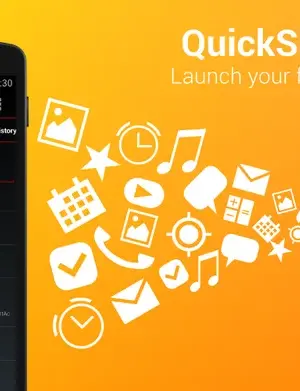
About QuickShortcutMaker
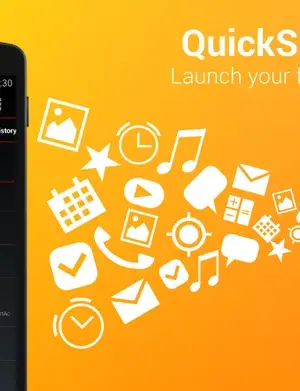
QuickShortcutMaker offers users a streamlined way to create shortcuts for various apps and functions on their Android devices. This personalization tool stands out for its adaptability and ease of use, enhancing the user experience significantly. In this review, we will explore its architecture, features, and overall utility for everyday users.
| App Name | QuickShortcutMaker |
|---|---|
| Version | 2.5.0 |
| Developer | Unknown Developer |
| Package Name | com.sika524.android.quickshortcut |
| Category | Personalization |
| Size | Varies |
| Downloads | N/A |
| Rating | N/A |
| Android Version | Varies |
| Updated | 2026-08-11 |
Overview
QuickShortcutMaker is a personalization app that enables users to create custom shortcuts to apps, contacts, settings, and even specific activities within apps. Developed by an unknown entity, the app has undergone several updates, including the recent addition of Italian and Arabic language support, signifying an effort to cater to a broader audience. Another notable aspect is its adaptation to the AndroidPhone7 theme, which helps in maintaining a cohesive visual experience on newer devices.
Despite lacking explicit details about its permissions, the app’s functionality revolves around enhancing accessibility on Android. Users can create shortcuts for actions that would typically require multiple taps, thus saving time and streamlining navigation. The intuitive interface allows for easy management of shortcuts, making it suitable for both novice and advanced users.
The last update on August 11, 2026, brought several improvements, including a UI change for dialog boxes and a fix for a critical bug that prevented shortcuts for Google Play from functioning correctly. These updates not only improve performance but also enhance the overall user experience, reflecting the developer’s commitment to maintaining the app’s usability over time. As a free application with a universal architecture, it is designed to work across various Android devices, thus widening its accessibility.
While the app does not have a specified rating or download count, its utility and updates suggest that it fills a niche within the personalization category of apps. Users seeking a more tailored Android experience may find QuickShortcutMaker both useful and essential for optimizing their device’s functionality.
Explore more on GenuineAPKs: Personalization apps · Android apps.
Useful references: QuickShortcutMaker on Google Play · Google Play safety tips.
Who Is QuickShortcutMaker For?
QuickShortcutMaker is tailored for Android users looking for enhanced personalization options. It is especially beneficial for those who frequently access specific apps or functions, allowing them to create shortcuts that facilitate quicker navigation. Additionally, users who enjoy customizing their device’s interface will find this tool particularly valuable for optimizing their daily interactions with their smartphones.
Real-World Use Cases
- Create a shortcut for your favorite messaging app to access it directly from the home screen.
- Set up shortcuts for frequently contacted friends or family members to streamline communication.
- Quickly access specific settings like Wi-Fi or Bluetooth with a dedicated shortcut.
- Launch a particular activity within an app, such as a specific document in a file manager.
- Reduce the time spent navigating through menus by creating shortcuts for commonly used features.
Features
- Create custom shortcuts to apps, contacts, and settings.
- Adaptable to various themes including AndroidPhone7.
- Supports multiple languages, including Italian and Arabic.
- Intuitive user interface for easy management of shortcuts.
- Regular updates to fix bugs and enhance user experience.
- Universal architecture for compatibility across devices.
- Saves time by reducing the number of taps needed to access functions.
- Ability to create shortcuts for specific app activities, increasing functionality.
- Free to download and use, making it accessible for all.
- No root access required, ensuring a safe user experience.
- Prompt to rate the app, helping improve further iterations.
Performance & Battery
QuickShortcutMaker generally performs well across various devices, thanks to its lightweight design and universal architecture. Users have reported that the app runs smoothly, without significant lag or crashes, even after multiple updates. Its easy-to-use interface ensures that users can quickly create and manage their shortcuts, contributing to an overall positive experience.
Privacy & Permissions
Although the app does not explicitly list its permissions, users are advised to exercise caution when installing third-party applications. It is recommended to download QuickShortcutMaker from reputable sources like the Google Play Store to minimize security risks. Furthermore, maintaining regular updates ensures that any potential vulnerabilities are addressed promptly, enhancing overall safety while using the app.
What’s New
The latest update to QuickShortcutMaker introduced valuable features that enhance its usability. By adding Italian and Arabic translations, the app becomes more inclusive for non-English speaking users. The adaptation to the AndroidPhone7 theme aligns the app visually with modern Android designs, while the revised dialog UI provides a more user-friendly interaction. Additionally, addressing the bug related to Google Play shortcuts was crucial for maintaining the app's reliability. Overall, these changes reflect ongoing improvements that foster a better user experience.
How to Install
- Ensure your Android device is running a compatible version.
- Visit the Google Play Store and search for QuickShortcutMaker.
- Click on the ‘Install’ button to download the app.
- Once installed, open the app from your app drawer.
- Follow the on-screen instructions to begin creating shortcuts.
- Customize your shortcuts based on your preferences and needs.
- Access the settings to manage existing shortcuts or refine the application settings.
Pros
- User-friendly interface that simplifies shortcut creation.
- Regular updates to improve functionality and address bugs.
- Multi-language support caters to a wider audience.
- Time-saving features streamline app access.
- No root access is required for installation.
- Free to download and use, maximizing accessibility.
- Universal compatibility across various Android devices.
Cons
- Lack of detailed information about app permissions.
- No explicit user ratings or download counts available.
- Developer information is limited and not well-established.
- Some users may find the app’s functionalities basic compared to more advanced options.
- Potential for bugs despite updates, as some users have experienced issues.
- Limited customization options for shortcut design and aesthetics.
Download QuickShortcutMaker APK
Download QuickShortcutMaker v2.5.0 APK
Free · Safe · Verified APK download
Frequently Asked Questions
Is QuickShortcutMaker free to use?
Yes, QuickShortcutMaker is completely free to download and use.
What devices are compatible with QuickShortcutMaker?
The app has a universal architecture, meaning it is compatible with a wide range of Android devices.
Can I create shortcuts for settings?
Yes, you can create shortcuts for various settings such as Wi-Fi, Bluetooth, and more.
Is it safe to install QuickShortcutMaker?
Yes, as long as you download it from reputable sources like the Google Play Store.
How frequently is QuickShortcutMaker updated?
The app has received regular updates, including its latest update on August 11, 2026.
Does it require root access?
No, QuickShortcutMaker does not require root access, making it easy and safe to use.
Can I create app activity shortcuts?
Yes, the app allows you to create shortcuts for specific activities within applications.
What languages does QuickShortcutMaker support?
The app currently supports multiple languages, including Italian and Arabic.
Final Thoughts
In summary, QuickShortcutMaker presents a well-rounded solution for users seeking to enhance their Android experience through personalization. By allowing the creation of shortcuts for apps, contacts, and settings, it streamlines device navigation and saves time. While the app could benefit from clearer permissions and more detailed developer information, its accessibility and regular updates position it as a practical tool within the personalization category. Users looking to optimize their Android interface should consider trying QuickShortcutMaker.
Related Apps
Disclaimer
This review is solely based on the analysis of the QuickShortcutMaker app and is not affiliated with the developer. Users are responsible for their own APK downloads and should ensure they follow safe practices when installing applications.
What's New in v2.5.0
- Added Italian and Arabic translations.
- Adapted to AndroidPhone7 theme.
- Changed dialog UI.
- Fixed a bug that the shortcut for Google Play cannot be opened.
- Some more improvements.
- Added function to ask you to rate this app. (Forgive me if you don't like such a thing.)b
All Versions of QuickShortcutMaker
Frequently Asked Questions
Yes. QuickShortcutMaker is scanned before publishing. Our pipeline verifies each file.
Download the APK, enable 'Install from Unknown Sources' in Settings > Security, then tap the file.
Latest version is 2.5.0.
Requires Android 5.0+.
Yes, completely free.
APKs let you install apps not in your region, use specific versions, or install without Google Play.
Related News Articles

This New Xbox 360 Emulator for Android Runs Surprisingly Well
August 18, 2026

Judge Orders Google to Simplify Third-Party App Store Installation on Android Devices
August 16, 2026

Google Ordered to Simplify Third-Party App Store Installation on Android
August 15, 2026

DAVE THE DIVER Makes a Splash on Android and iOS with New DLC This September
August 14, 2026
More from Unknown Developer


QuickShortcutMaker Alternative
Apps similar to QuickShortcutMaker that you may also like.


User Reviews
Compatibility Checker
QuickShortcutMaker requires Android 5.0+ or higher. Select your device version to check.
Write a Review