
Spatial Touch APK
Unknown DeveloperVaries · Free · Safe · Verified
Share This App
Scan to Download
Scan with Android camera
Screenshots
About Spatial Touch
If you want to control your phone from a distance without touching the screen, the Spatial Touch APK v1.2.10 is a highly intriguing option to consider. However, if you prefer classic physical touches or find gesture setup tedious, this is an easy skip. Here is our honest, checklist-driven breakdown to help you decide whether this unique tool is worth your storage space.
Related in Tools: Shizuku · Snaptube · OpenVPN Connect
| App Name | Spatial Touch |
|---|---|
| Version | 1.2.10 |
| Developer | Unknown Developer |
| Package Name | io.vtouch.spatial_touch |
| Category | Tools |
| Size | Varies |
| Downloads | N/A |
| Rating | N/A |
| Android Version | Varies |
| Updated | 2026-08-13 |
Overview
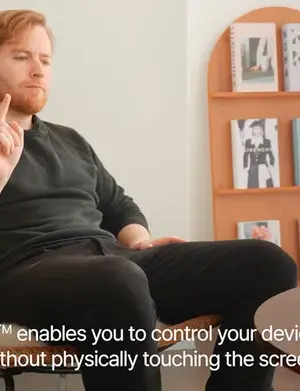
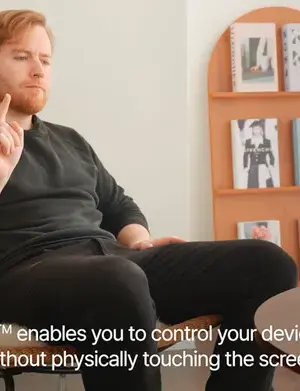
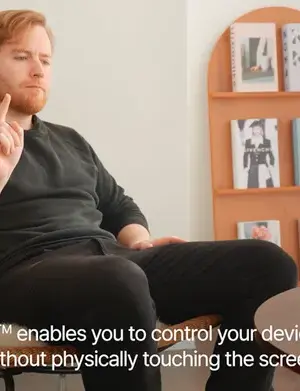
Spatial Touch is a futuristic utility designed to bring hand-gesture controls to your Android device, utilizing the front-facing camera to detect your movements in real-time. Unlike basic gesture apps that rely on simple swipes, this app acts as a virtual pointer, allowing you to tap, swipe, and scroll through your favorite media and social apps from across the room.
Navigating our massive repository of essential utility apps, you’ll find plenty of touch-mapping tools, but few go as far as Spatial Touch in mimicking air-gesture hardware found in high-end flagship devices. It maps virtual controls onto your screen, giving you hands-free access while cooking, working out, or relaxing in bed.
In this 1.2.10 release, the developer has doubled down on customizability by introducing Action Recording, meaning you can record specific taps or swipes per app and map them directly to custom hand gestures. While it sounds incredibly convenient, it demands a bit of patience to calibrate correctly, making it a stellar tool for tech enthusiasts but potentially frustrating for casual users.
Who Is Spatial Touch For?
Spatial Touch is tailor-made for multitasking enthusiasts who find themselves wanting to control their devices when their hands are busy, dirty, or wet—such as home cooks following recipes, gym-goers tracking workouts, or drivers needing quick, touchless interactions. It is also an excellent accessibility utility for individuals with limited mobility who prefer managing their devices via spatial movements.
Conversely, if you are looking for a simple, “set-it-and-forget-it” tool, the calibration phase and constant camera standby might feel like overkill. It is a specialized addition to the category of Android tool applications that requires active user engagement to shine.
Real-World Use Cases
- Kitchen Cooking: Scroll through recipe blogs or pause cooking videos without touching the screen with flour-covered hands.
- Workout Tracking: Skip music tracks or pause training timers from a distance while executing a workout set.
- Bedside Media Control: Swipe through social media feeds or adjust volume while your phone rests on a nightstand.
- Accessibility Assistance: Navigate standard Android interfaces using physical gestures when precise physical touch is difficult.
- Hands-Free Driving Companion: Execute Home or Voice Recognition commands safely without having to look closely at small on-screen buttons.
Features
- Air Gesture Controls: Navigate your device hands-free using intuitive hand movements captured by your front camera.
- Per-App Action Recording: Customize the experience by recording specific tap or swipe actions for individual apps and mapping them to easy gestures.
- Dynamic Island Integration: Instantly toggle the on-screen pointer and Always On mode from a clean, interactive Dynamic Island interface.
- System-Wide Shortcuts: Execute core navigation commands like Home, Recent Apps, and Voice Recognition directly via air gestures.
- Always On Display Actions: Set and execute tailored gesture actions even when your screen is in Always On mode.
- Per-Action Repeat Control: Fine-tune how gestures execute by toggling the “Repeat” function on or off for individual mapped actions.
- Smart Lock Prevention: Keeps gestures active and responsive even after your device locks in Always On state, preventing sudden disconnects.
- Custom Action Mapping: Easily choose a “None” option when configuring gestures to prevent accidental triggers or overlapping inputs.
Performance & Battery
Running real-time image processing via the front camera can naturally be resource-intensive, but version 1.2.10 brings noticeable improvements. The developer has optimized background processes, dramatically reducing battery drain compared to older versions. The Dynamic Island overlay is highly responsive and no longer stutters when multitasking.
For the best results, users should run this app on devices with decent mid-range processors. Because it utilizes the camera, performance will depend slightly on environmental lighting; well-lit rooms yield incredibly fast gesture recognition, whereas dark environments might introduce minor latency.
Privacy & Permissions
Since Spatial Touch requires camera access to detect air gestures, privacy is a valid concern for many users. The app processes visual inputs locally on your device to translate hand movements into commands, meaning video feeds are not uploaded to external servers. To ensure peace of mind, always download official packages like the one found on the Google Play Store.
Additionally, the application relies on the Android AccessibilityService API to perform clicks and swipes on your behalf. While this is necessary for the app to function, users should always remain cautious and verify that they are comfortable granting these high-level system permissions before proceeding.
What’s New
Version 1.2.10 introduces several major performance upgrades and feature additions. The standout feature is Action Recording, which allows users to record custom touch sequences on an app-by-app basis and trigger them with simple gestures. Additionally, system integration has been enhanced with new actions like Voice Recognition, Home, and Recent Apps shortcuts, plus the ability to configure Always On display commands.
On the optimization side, the Dynamic Island feature is now significantly more stable, responsive, and starts automatically alongside Always On mode. The update also addresses previous battery drain issues, offering highly optimized background performance and introducing a "None" assignment option for cleaner configuration.
How to Install
- Download the Spatial Touch APK v1.2.10 from a reliable source.
- Go to your device’s Settings > Security and enable “Unknown Sources” or allow installation from your browser.
- Locate the downloaded file in your File Manager and tap it to start the installation.
- Grant the necessary system permissions, specifically camera access for gesture recognition and accessibility permissions.
- Open the app and follow the on-screen calibration tutorial to map your hand distance and lighting conditions.
- Configure your custom gestures for specific apps and enjoy a truly hands-free Android experience.
Pros
- Highly innovative hands-free air gesture control.
- Action Recording allows custom tap/swipe sequences per app.
- Significantly reduced battery consumption in version 1.2.10.
- Clean Dynamic Island integration with automatic startup.
- Useful system-wide shortcuts (Home, Recent Apps, Voice).
- Gestures remain active and responsive during Always On display.
Cons
- Requires constant camera access, raising minor privacy considerations.
- Performance degrades slightly in low-light environments.
- Setup and gesture calibration require patience.
- Can cause accidental triggers if hand movements are made near the camera.
Download Spatial Touch APK
Download Spatial Touch v1.2.10 APK
Free · Safe · Verified APK download
Frequently Asked Questions
Does Spatial Touch record or store my camera feed?
No, the application processes camera frames locally on your device solely to detect gesture coordinates and does not record or upload your personal video data.
How do I configure Action Recording for a specific app?
Open Spatial Touch, select the Action Recording menu, choose your target app, record your tap or swipe sequence, and assign it to your preferred hand gesture.
Will this app rapidly drain my phone's battery?
While camera processing does use power, version 1.2.10 features optimized power management to minimize background battery drain significantly.
Can I use Spatial Touch in a dark room?
Since it relies on the front-facing camera to track hand shapes, performance may drop or fail in pitch-black or very poorly lit environments.
Why does Spatial Touch need Accessibility Permissions?
It requires accessibility access to simulate physical touches, swipes, and system commands (like Home or Recent Apps) on your screen.
What is the "None" option in gesture mapping?
This option allows you to unbind gestures, ensuring that specific hand movements do not trigger unwanted actions while you are using your phone normally.
Does the Dynamic Island overlay work automatically?
Yes, in this latest update, the Dynamic Island starts automatically alongside the Always On display mode for seamless control.
Final Thoughts
So, is Spatial Touch APK v1.2.10 worth installing? The answer is a decisive YES if you frequently find yourself with messy hands or want to control media from a distance. The addition of custom Action Recording and battery optimizations makes this version the most stable and functional release yet. However, it is a NO for users who are highly sensitive about camera permissions or those who expect absolute perfection in pitch-black environments. For everyone else, it is a highly recommended utility that offers a spectacular glimpse into the future of touchless mobile interaction.
Related Apps
Disclaimer
We are an independent review platform and are not affiliated, associated, or officially connected with the developer of Spatial Touch or its subsidiaries. All product names, logos, and brands are property of their respective owners. Downloading and installing third-party APK files is done at your own discretion and risk; always ensure your device's security measures are up to date.
What's New in v1.2.10
What's New
Pro
- Action Recording: record taps/swipes per app, assign to gestures
- New actions: Voice Recognition, Home, Recent Apps
- Set actions for the Home screen and Always On
- Toggle Pointer and Always On from Dynamic Island
- Dynamic Island starts automatically with Always On
- Fixed gestures active after lock in Always On
Improvements
- More stable, responsive Dynamic Island
- Less battery use, better performance
- Per-action Repeat on/off
- "None" option when assigning a
All Versions of Spatial Touch
Frequently Asked Questions
Yes. Spatial Touch is scanned before publishing. Our pipeline verifies each file.
Download the APK, enable 'Install from Unknown Sources' in Settings > Security, then tap the file.
Latest version is 1.2.10.
Requires Android 5.0+.
Yes, completely free.
APKs let you install apps not in your region, use specific versions, or install without Google Play.
Related News Articles

This New Xbox 360 Emulator for Android Runs Surprisingly Well
August 18, 2026

Judge Orders Google to Simplify Third-Party App Store Installation on Android Devices
August 16, 2026

Google Ordered to Simplify Third-Party App Store Installation on Android
August 15, 2026

DAVE THE DIVER Makes a Splash on Android and iOS with New DLC This September
August 14, 2026
More from Unknown Developer


Spatial Touch Alternative
Apps similar to Spatial Touch that you may also like.


User Reviews
Compatibility Checker
Spatial Touch requires Android 5.0+ or higher. Select your device version to check.
Write a Review