
GameHub APK
Unknown DeveloperVaries · Free · Safe · Verified
Share This App
Scan to Download
Scan with Android camera
Screenshots
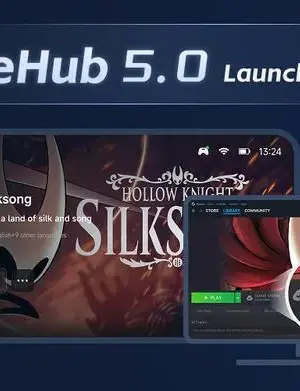
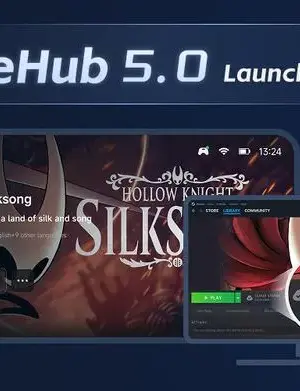
About GameHub
In an age where gaming apps are proliferating, finding a solid platform to manage your gaming library can be challenging. GameHub steps up as a multifunctional tool that enhances your digital gaming experience, especially for Steam users. Let’s delve deeper into what makes GameHub a contender in the entertainment category.
Related in Entertainment: Netflix · BuffBuff · Nuevo Amanecer Plus
| App Name | GameHub |
|---|---|
| Version | 5.3.7.02 |
| Developer | Unknown Developer |
| Package Name | com.xiaoji.egggame |
| Category | Entertainment |
| Size | Varies |
| Downloads | N/A |
| Rating | N/A |
| Android Version | Varies |
| Updated | 2026-08-13 |
Overview
GameHub is designed for gamers who wish to streamline their gaming experience. This app serves as a hub for game discovery, enabling users to download titles faster and access updates seamlessly. Its user-friendly interface accentuates ease of navigation, making it a practical choice for both casual and dedicated gamers alike. The recent update, which enhances performance and usability, positions GameHub as a modern solution for gamers eager for quick access to their favorite titles.
This app notably focuses on improving the user experience by integrating features like a personalized library that highlights your recently played games. The revamped search functionality allows users to keep track of trending titles and their search history, a significant enhancement for those who often explore new games. With GameHub, the goal is to create a tailored experience that resonates with individual gaming habits.
Additionally, GameHub emphasizes social sharing capabilities by allowing users to view and share their playtime statistics. This is especially appealing to gamers who enjoy sharing their accomplishments and progress with friends. Whether you’re trying to optimize your gaming routine or just want a central place for your Steam library, GameHub has got you covered.
Moreover, the app’s ability to provide online updates and sidebar account tools ensures you remain connected while gaming. With a focus on user experience and fast game discovery, GameHub is a reliable partner for anyone who frequently engages with digital gaming platforms.
In the realm of entertainment apps, GameHub distinguishes itself with its blend of functionality and accessibility, ideal for a diverse range of users.
Explore more on GenuineAPKs: Netflix · BuffBuff.
Useful references: GameHub on Google Play · Google Play safety tips.
Who Is GameHub For?
GameHub is tailored for avid gamers who utilize the Steam platform and seek an efficient way to manage their gaming library. It’s an excellent choice for users who prefer a more organized approach to their gaming experience, especially those who frequently download and update games. Casual gamers may also find value in its features but might opt for lighter alternatives that focus solely on specific games instead of a comprehensive library.
Real-World Use Cases
- A Steam user wanting to quickly access their recently played games.
- Gamers looking to track their game playtime and share it with friends.
- Players who need a fast way to discover and download new titles.
- Individuals curious about trending games and community favorites.
Features
- Faster game discovery and download speeds.
- Online updates to ensure the latest versions are always available.
- Redesigned library for better organization of games.
- User-friendly interface with a dedicated ‘My’ page.
- Highlights recently played games for quick access.
- Refreshed search feature showing trending titles and search history.
- Playtime tracking and sharing for a social gaming experience.
- Bug fixes for improved stability and performance.
Performance & Battery
GameHub’s performance is generally smooth, with recent updates aimed at addressing previous bugs and enhancing stability. Users can expect quick load times and an intuitive interface that facilitates easy navigation. The optimization for various devices ensures that it functions well across different Android architectures, making it accessible for a larger audience.
Privacy & Permissions
As of now, specific permissions required by GameHub have not been listed, raising some curiosity among potential users. However, it is essential to follow safe APK habits, such as downloading from reputable sources to ensure the app is free from malicious software. Users should remain compliant with best practices regarding app permissions to safeguard their data.
What’s New
The latest update for GameHub introduces several enhancements aimed at improving overall user experience. The Steam Experience Upgrade means faster game discovery and download speeds, making it easier for users to find and access their games. Additionally, users can now enjoy a better-organized library, which allows quick access to recently played games. The updated interface also boasts improved search functionalities, making it simpler to keep track of trending titles and your search history.
How to Install
- Visit the official site or trusted APK provider to download GameHub.
- Enable installation from unknown sources in your device settings.
- Locate the downloaded APK file in your device’s file manager.
- Tap on the APK file to begin the installation process.
- Follow the on-screen prompts to complete the installation.
- Once installed, launch GameHub from your app drawer.
- Log in with your Steam account to start managing your games.
Pros
- User-friendly interface for easy navigation.
- Quick access to recently played games.
- Faster game downloads and updates.
- Enhanced search functionality with trending titles.
- Social features for tracking and sharing playtime.
- Universal compatibility with various Android devices.
Cons
- Developer information is not disclosed.
- Limited to Steam users, which may restrict broader appeal.
- No detailed permissions listed, may raise privacy concerns.
- May not cater to casual gamers looking for simpler alternatives.
Download GameHub APK
Download GameHub v5.3.7.02 APK
Free · Safe · Verified APK download
Frequently Asked Questions
Is GameHub free to use?
Yes, GameHub is available for free.
Can I use GameHub without a Steam account?
No, the app is designed for users with a Steam account.
What devices support GameHub?
GameHub is compatible with various Android devices.
How do I update GameHub?
Updates are typically handled automatically within the app.
Can I track my playtime on any game?
Yes, GameHub allows you to track playtime for games in your library.
Does GameHub require an internet connection?
Yes, an internet connection is necessary for game updates and downloads.
Final Thoughts
GameHub positions itself effectively as a comprehensive tool for managing your gaming library, particularly for Steam users. Its emphasis on user experience and performance enhancements make it a worthy contender among entertainment apps. Ultimately, if you’re looking for a reliable platform to streamline your gaming experience, GameHub is an excellent choice to consider.
Related Apps
Disclaimer
This article is for informational purposes only. GenuineAPKs is not affiliated with GameHub or its developer, and we do not take responsibility for any issues that may arise from downloading and using the APK.
What's New in v5.3.7.02
Steam Experience Upgrade: Faster game discovery & downloads, online updates, sidebar account tools, and a redesigned library.
Improved Interface: "My" page now highlights recently played games for quick access.
Refreshed Search: See search history and trending titles for easier browsing.
Playtime at a Glance: View and share recent playtime stats from GameHub.
Bug Fixes: Various issues resolved.b
All Versions of GameHub
Frequently Asked Questions
Yes. GameHub is scanned before publishing. Our pipeline verifies each file.
Download the APK, enable 'Install from Unknown Sources' in Settings > Security, then tap the file.
Latest version is 5.3.7.02.
Requires Android 5.0+.
Yes, completely free.
APKs let you install apps not in your region, use specific versions, or install without Google Play.
Related News Articles

This New Xbox 360 Emulator for Android Runs Surprisingly Well
August 18, 2026

Judge Orders Google to Simplify Third-Party App Store Installation on Android Devices
August 16, 2026

Google Ordered to Simplify Third-Party App Store Installation on Android
August 15, 2026

DAVE THE DIVER Makes a Splash on Android and iOS with New DLC This September
August 14, 2026
More from Unknown Developer


GameHub Alternative
Apps similar to GameHub that you may also like.


User Reviews
Compatibility Checker
GameHub requires Android 5.0+ or higher. Select your device version to check.
Write a Review