
Steam APK
Unknown DeveloperVaries · Free · Safe · Verified
Share This App
Scan to Download
Scan with Android camera
Screenshots
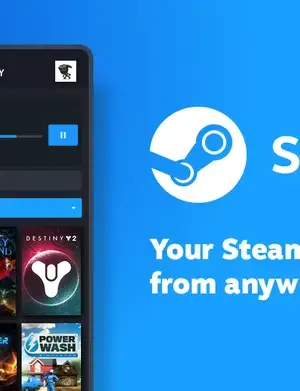
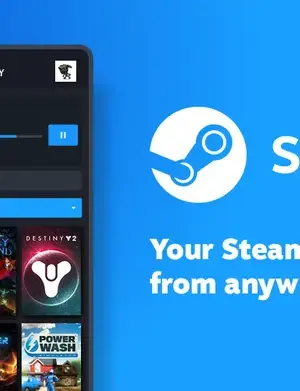
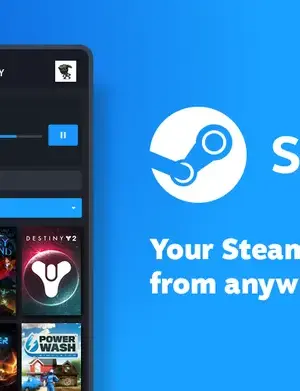
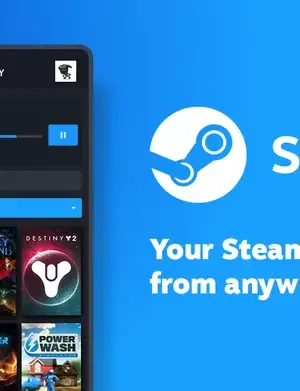
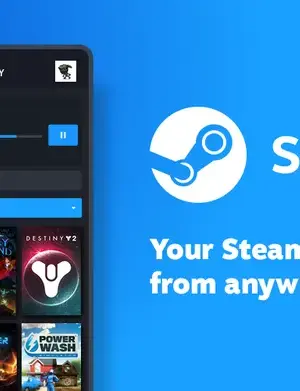
About Steam
If you're a gaming enthusiast, the Steam APK is a must-have for managing your game library on the go. This application provides a powerful platform for accessing your Steam account, chatting with friends, and browsing the latest deals and offers.
Related in Entertainment: Kucing Pink · bilibili (CN) · Character AI: Chat, Talk, Text
| App Name | Steam |
|---|---|
| Version | 3.10.11 |
| Developer | Unknown Developer |
| Package Name | com.valvesoftware.android.steam.community |
| Category | Entertainment |
| Size | Varies |
| Downloads | N/A |
| Rating | N/A |
| Android Version | Varies |
| Updated | 2026-09-03 |
Overview
The Steam APK, developed by Valve Corporation, is designed to enhance the gaming experience for mobile users by providing access to their Steam accounts. With the app, users can manage their game libraries, view news updates, and connect with friends seamlessly from their Android devices. The application caters to gamers who want real-time notifications on game sales, updates, and community interactions, all in one convenient package.
As of the latest update on September 3, 2026, the application has introduced several enhancements, including landscape orientation support for tablet users, allowing for a more immersive experience. This is particularly beneficial for those who prefer to browse their libraries or manage their wishlists on larger screens.
Moreover, performance improvements have been made to ensure that the app responds quickly, especially when loading login confirmation requests and notifications. Users can now enjoy an optimized notifications screen that displays wishlist sales more effectively. The application has also resolved various bugs to enhance overall user experience.
Overall, the Steam APK serves as a comprehensive tool for gamers, ensuring they stay connected to their gaming community and enjoy their favorite titles wherever they are. Its free license and universal compatibility make it accessible for a wide audience, appealing to both casual gamers and avid enthusiasts alike.
Explore more on GenuineAPKs: Kucing Pink · bilibili (CN).
Useful references: Google Play safety tips.
Who Is Steam For?
The Steam APK is for anyone who owns a Steam account and wants to keep track of their gaming activities while on the move. Casual gamers looking for deals and updates, as well as hardcore gamers wanting to manage their libraries, will find this app incredibly useful. It also appeals to those who want to interact with friends and community members directly from their smartphones.
Real-World Use Cases
- Manage and access your entire game collection while commuting.
- Receive immediate alerts about significant price drops on your wishlist titles.
- Participate in community discussions and chats with friends on the go.
- Browse the Steam store for the latest releases and content updates.
- Check game stats and updates directly from your mobile device.
Features
- Access to your entire Steam library from your mobile device.
- Receive real-time notifications for game updates and sales.
- Enhanced performance for smoother navigation and loading times.
- Landscape orientation support for better usability on tablets.
- Wishlist management for tracking deals on favorite games.
- Community features including chat and friends list management.
- Direct browsing for purchasing games and DLCs.
- Improved notification display for multi-game sales.
- Bug fixes that enhance overall functionality.
- Universal architecture for compatibility across various Android devices.
Performance & Battery
The Steam APK has seen numerous performance enhancements in its latest version. Users can expect faster loading times, especially when accessing login confirmations and notifications. These optimizations provide a more fluid user experience, making it easier for gamers to interact with their accounts.
Privacy & Permissions
While specific permissions for the Steam APK are not listed, it is important to exercise caution when downloading any APK. Ensure that you download the app from the official Google Play Store to reduce the risk of malware and ensure a safe experience. Always review the permissions the app requests and consider whether they are necessary for its functionality.
What’s New
In the recent update of the Steam APK, landscape orientation support for tablets has been added, allowing users to make the most out of larger screens. The performance enhancements include faster loading times for login confirmations and improvements in how notifications are displayed, particularly when multiple games are on sale. Additionally, various bugs have been fixed, ensuring a smoother user experience.
How to Install
- Visit the official Steam APK page on the Google Play Store.
- Tap the ‘Install’ button to download the application onto your device.
- Once downloaded, open the app from your app drawer.
- Log in using your Steam account credentials.
- Set your preferences for notifications and updates.
- Explore your library, check out sales, and connect with friends!
Pros
- Easy access to your game library on the go.
- Real-time notifications keep you updated on deals.
- Improved user interface for better navigation.
- Bug fixes enhance overall app stability.
- Landscape support makes it user-friendly on tablets.
Cons
- Limited features compared to the desktop version.
- Some users may experience slow loading times under heavy load.
- Requires a constant internet connection for full functionality.
- Notifications may become overwhelming for frequent users.
Download Steam APK
Free · Safe · Verified APK download
Frequently Asked Questions
How do I download the Steam APK?
You can download the Steam APK directly from the <a href="https://play.google.com/store/apps/details?id=com.valvesoftware.android.steam.community" rel="noopener noreferrer">Google Play Store</a>.
Is the Steam APK free?
Yes, the Steam APK is available for free.
What devices are compatible with the Steam APK?
The app is designed to be compatible with a wide range of Android devices due to its universal architecture.
Can I manage my wishlist through the app?
Absolutely! The Steam APK allows you to manage your wishlist and receive notifications when games go on sale.
What should I do if the app crashes?
If the app crashes, try clearing the app cache or reinstalling it from the <a href="https://play.google.com/store/apps/details?id=com.valvesoftware.android.steam.community" rel="noopener noreferrer">Google Play Store</a>.
Does the app support offline mode?
The Steam APK requires an internet connection to access your account and use its features.
Can I chat with friends using the Steam APK?
Yes, the app includes community features that allow you to chat with friends.
How often is the app updated?
The Steam APK receives periodic updates to improve performance and introduce new features.
Final Thoughts
The Steam APK is a vital tool for any Steam user who values portability in gaming. With its continuous updates and improvements, it provides a solid platform for gamers to stay connected and informed. Downloading the app is highly recommended for anyone looking to enhance their mobile gaming experience.
Related Apps
Disclaimer
GenuineAPKs is not affiliated with Valve Corporation. Users are responsible for downloading the APK and ensuring its safety.
What's New in v3.10.11
- Added landscape orientation support on tablets
- Improved performance loading a login confirmation request when you open the app
- Improved notifications screen performance and fixed issues
- Improved the wishlist notification display when more than 1 game is on sale
- Fixed an issue where the confirmations menu would take you to the last viewed details page
- Fixed issue in the library where the keyboard wouldn't dismiss after searching and clicking the sort drop-down or a gameb
All Versions of Steam
Frequently Asked Questions
Yes. Steam is scanned before publishing. Our pipeline verifies each file.
Download the APK, enable 'Install from Unknown Sources' in Settings > Security, then tap the file.
Latest version is 3.10.11.
Requires Android 5.0+.
Yes, completely free.
APKs let you install apps not in your region, use specific versions, or install without Google Play.
Related News Articles

This New Xbox 360 Emulator for Android Runs Surprisingly Well
August 18, 2026

Judge Orders Google to Simplify Third-Party App Store Installation on Android Devices
August 16, 2026

Google Ordered to Simplify Third-Party App Store Installation on Android
August 15, 2026

DAVE THE DIVER Makes a Splash on Android and iOS with New DLC This September
August 14, 2026
More from Unknown Developer


Steam Alternative
Apps similar to Steam that you may also like.


User Reviews
Compatibility Checker
Steam requires Android 5.0+ or higher. Select your device version to check.
Write a Review