
Img to ASCII APK
Unknown DeveloperVaries · Free · Safe · Verified
Share This App
Scan to Download
Scan with Android camera
Screenshots



About Img to ASCII
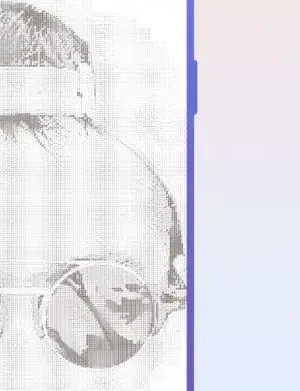
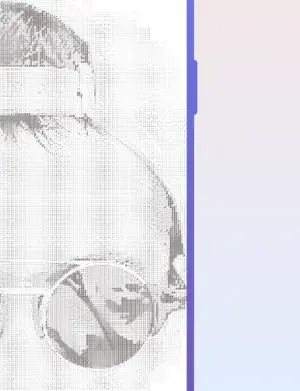
Img to ASCII is a unique Android application that converts images into ASCII art. This app is available for download on various platforms, including GenuineAPKs. With its simple and intuitive interface, users can easily upload their images and convert them into ASCII art.
Related in Photography: lnShot Editor
| App Name | Img to ASCII |
|---|---|
| Version | 1.4.4 |
| Developer | Unknown Developer |
| Package Name | com.garnesapps.imgtoascii |
| Category | Photography |
| Size | Varies |
| Downloads | N/A |
| Rating | N/A |
| Android Version | Varies |
| Updated | 2026-08-11 |
Overview
The Img to ASCII app is part of the photography category on GenuineAPKs, which offers a wide range of photography-related apps. The app’s functionality is based on the concept of ASCII art, which is a graphic design technique that uses ASCII characters to create images. Users can adjust the contrast and brightness of the image to achieve the desired ASCII art effect. For more information on Android app development, visit the official Android developer website. To learn more about ASCII art, check out the Wikipedia page on ASCII art.
Who Is Img to ASCII For?
The Img to ASCII app is ideal for individuals who enjoy graphic design, photography, and art. It is also suitable for those who want to add a unique touch to their social media posts or messages. With its user-friendly interface, the app is accessible to users of all skill levels.
Real-World Use Cases
- Converting images into ASCII art for social media posts
- Creating unique and personalized messages for friends and family
- Adding an artistic touch to digital art projects
- Experimenting with graphic design techniques
Features
- Converts images into ASCII art
- Adjustable contrast and brightness
- Simple and intuitive interface
- Supports various image formats
- Free to download and use
- Universal architecture for compatibility with most Android devices
- No permissions required for installation
- Regular updates with new features and improvements
- Compatible with Android devices running various Android versions
Performance & Battery
The performance of the Img to ASCII app may vary depending on the device and image quality. However, the app's simplicity and lack of required permissions ensure a smooth and efficient user experience.
Privacy & Permissions
As the app does not require any permissions, users can rest assured that their personal data is safe. However, it is essential to download the app from a trusted source, such as GenuineAPKs, to avoid any potential security risks.
What’s New
The latest version of the Img to ASCII app, 1.4.4, was released on August 11, 2026. Although the exact changes are not specified, the update likely includes bug fixes and performance improvements. For more information on the app’s updates, visit the Google Play listing.
How to Install
- Download the Img to ASCII APK from a trusted source, such as GenuineAPKs
- Enable the ‘Install from unknown sources’ option in your Android device’s settings
- Locate the downloaded APK file and click on it to begin the installation process
- Follow the on-screen instructions to complete the installation
- Launch the app and start converting your images into ASCII art
Pros
- Unique and creative way to convert images
- Simple and intuitive interface
- Adjustable contrast and brightness
- Free to download and use
- Universal architecture for compatibility
- No permissions required for installation
Cons
- Limited features compared to other graphic design apps
- No official support or documentation
- Unknown developer and potential security risks
- Variable performance depending on device and image quality
Download Img to ASCII APK
Download Img to ASCII v1.4.4 APK
Free · Safe · Verified APK download
Frequently Asked Questions
What is ASCII art?
ASCII art is a graphic design technique that uses ASCII characters to create images.
How do I download the Img to ASCII app?
You can download the Img to ASCII app from a trusted source, such as <a href="https://genuineapks.com/">GenuineAPKs</a>.
Is the app free to use?
Yes, the Img to ASCII app is free to download and use.
What are the system requirements for the app?
The app's system requirements are not specified, but it is compatible with most Android devices.
Can I use the app for commercial purposes?
The app's license and terms of use are not specified, so it is best to use it for personal and non-commercial purposes only.
How do I install the app?
You can install the app by following the on-screen instructions after downloading the APK file.
Final Thoughts
The Img to ASCII app is a unique and creative tool for converting images into ASCII art. While it may have some limitations, the app’s simplicity and lack of required permissions make it a great option for those who want to add a personal touch to their digital art projects. For more photography-related apps, visit the photography category on GenuineAPKs.
Related Apps
Disclaimer
GenuineAPKs is not affiliated with the developer of the Img to ASCII app. By downloading and using the app, you acknowledge that you are responsible for any potential risks or consequences.
All Versions of Img to ASCII
Frequently Asked Questions
Yes. Img to ASCII is scanned before publishing. Our pipeline verifies each file.
Download the APK, enable 'Install from Unknown Sources' in Settings > Security, then tap the file.
Latest version is 1.4.4.
Requires Android 5.0+.
Yes, completely free.
APKs let you install apps not in your region, use specific versions, or install without Google Play.
Related News Articles

This New Xbox 360 Emulator for Android Runs Surprisingly Well
August 18, 2026

Judge Orders Google to Simplify Third-Party App Store Installation on Android Devices
August 16, 2026

Google Ordered to Simplify Third-Party App Store Installation on Android
August 15, 2026

DAVE THE DIVER Makes a Splash on Android and iOS with New DLC This September
August 14, 2026
More from Unknown Developer


Img to ASCII Alternative
Apps similar to Img to ASCII that you may also like.


User Reviews
Compatibility Checker
Img to ASCII requires Android 5.0+ or higher. Select your device version to check.
Write a Review